
Flippee Ball
Спорт
Flippee Ball
Спорт
Flippee Ball
Flippee Ball — это увлекательная спорт онлайн с механикой: аркадный геймплей, спортивные состязания и точность и реакция. Играйте бесплатно на компьютере или телефоне — проходите уровни, ставьте рекорды и получайте удовольствие от каждой минуты.
- Разработчик
- —
- Рейтинг
- —
- Дата выхода
- —
- Последнее обновление
- —
- Технология
- HTML5
- Платформы
- Браузер (ПК), Android, iOS
- Опубликовано
- 08.09.2026 12:36
Flippee Ball — это увлекательная спорт онлайн, которая дарит настоящее удовольствие от игры. Главные механики жанра — аркадный геймплей, спортивные состязания и точность и реакция — раскрываются в каждом уровне, постепенно усложняясь и удерживая внимание. Продуманный баланс, приятная графика и удобное управление делают игру отличным выбором для отдыха и весёлого времяпрепровождения.
Flippee Ball
Flippee Ball — это увлекательная спорт онлайн, которая дарит настоящее удовольствие от игры. Главные механики жанра — аркадный геймплей, спортивные состязания и точность и реакция — раскрываются в каждом уровне, постепенно усложняясь и удерживая внимание. Продуманный баланс, приятная графика и удобное управление делают игру отличным выбором для отдыха и весёлого времяпрепровождения.
Особенности игры:
- увлекательный игровой процесс
- красочная графика
- удобное управление
- множество уровней
- постепенное усложнение
- играйте на компьютере или телефоне
Как играть
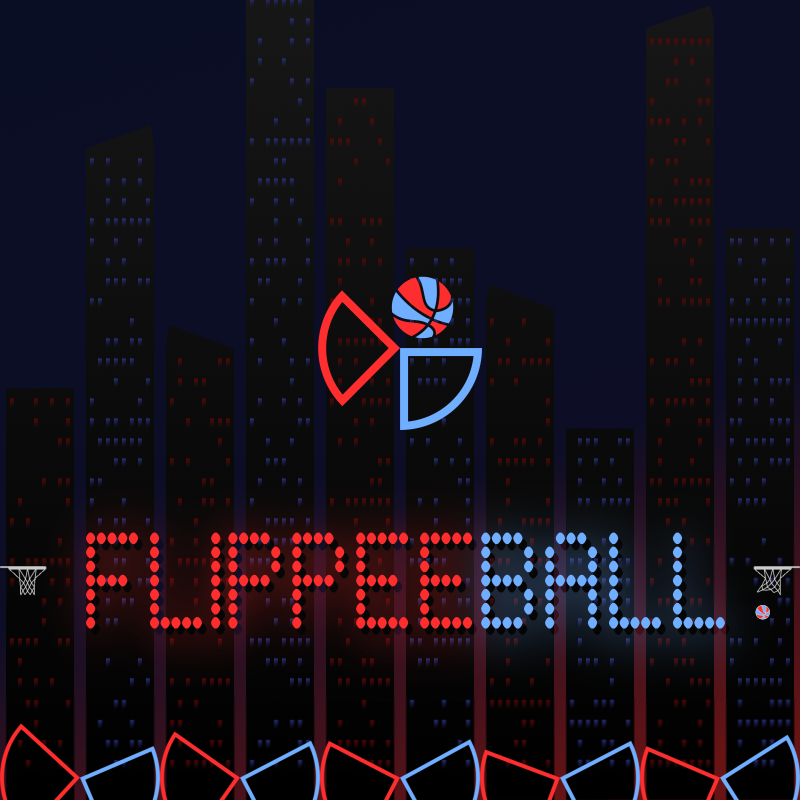
You control one set of flippers - either red or blue. Flipping uses just one button and flips all five of your flippers. See if you have what it takes to beat the computer. The default settings are "AMATEUR" speed against the computer on "EASY" difficulty with "AIM ASSIST" enabled (this gives you a little help with shot accuracy). Once you feel comfortable, try the other difficulties, "PROFFESSIONAL" speed, then switch "AIM ASSIST" off!
If that's not enough, try the "FLIPPEE ACADEMY" - 100 levels (50 each at "AMATEUR" & "PROFESSIONAL" speeds) where the ball is launched and you must try to score - but each level only allows for a certain number of touches - and you must score before the ball hits your opponent's flippers.
Navigate menus using:
- Mouse
- Touch
- Keyboard (arrow keys and space to action)
- Controller - direction pad and any of the main four buttons
Use the game mode button to the left of the scoreboard to select between 7 game modes:
- Longest Streak - see how many games in a row you can win against the computer:
- Easy
- Medium
- Hard
- Progressive (difficulty increases with every game)
- Career - difficulty increases with every game, but losing doesn't reset progress
- Player v Player - play against another human on the same device
- Academy - 100 "assists" for you to try to score from
To flip:
Single player:
- Mouse - click the screen
- Touch - tap the screen
- Keyboard - LEFT CTRL
- Controller - any of the four main buttons
Player vs Player:
- Mouse - click the top left or top right of the screen to control either the left or right flippers
- Touch - tap the top left or top right of the screen
- Keyboard - LEFT CTRL (left flipper) & RIGHT ARROW (right flippers)
- Controller - any of the four main buttons (supports 2 controllers for player v player)
To pause:
- Mouse - click the scoreboard
- Touch - tap the scoreboard
- Keyboard - Press "P"
- Controller - "Start" button
To win:
SCORE MORE THAN YOUR OPPONENT!
Change the game speed from "AMATEUR" to "PROFESSIONAL" and disable "AIM ASSIST" (if you're up for a challeng!) in the SETTINGS menu.
A quick start guide is shown when the game is first run and full instructions can be found in the built-in help guide.
Особенности
- Аркадный геймплей
- Спортивные режимы
- Точность и реакция
Управление для одного игрока
If that's not enough, try the "FLIPPEE ACADEMY" - 100 levels (50 each at "AMATEUR" & "PROFESSIONAL" speeds) where the ball is launched and you must try to score - but each level only allows for a certain number of touches - and you must score before the ball hits your opponent's flippers.
Navigate menus using:
- Mouse
- Touch
- Keyboard (arrow keys and space to action)
- Controller - direction pad and any of the main four buttons
Use the game mode button to the left of the scoreboard to select between 7 game modes:
- Longest Streak - see how many games in a row you can win against the computer:
- Easy
- Medium
- Hard
- Progressive (difficulty increases with every game)
- Career - difficulty increases with every game, but losing doesn't reset progress
- Player v Player - play against another human on the same device
- Academy - 100 "assists" for you to try to score from
To flip:
Single player:
- Mouse - click the screen
- Touch - tap the screen
- Keyboard - LEFT CTRL
- Controller - any of the four main buttons
Player vs Player:
- Mouse - click the top left or top right of the screen to control either the left or right flippers
- Touch - tap the top left or top right of the screen
- Keyboard - LEFT CTRL (left flipper) & RIGHT ARROW (right flippers)
- Controller - any of the four main buttons (supports 2 controllers for player v player)
To pause:
- Mouse - click the scoreboard
- Touch - tap the scoreboard
- Keyboard - Press "P"
- Controller - "Start" button
To win:
SCORE MORE THAN YOUR OPPONENT!
Change the game
Скриншоты
Ещё игры

Penalty Challenge
Спорт
Obby Football Soccer 3D
Спорт
Football - Soccer FIFA
Спорт
Basketball Stars
Спорт

Soccer Random
Спорт

Golf Orbit
Спорт

Basket Random
Спорт

2 Minute Football QB Legend
Спорт

Gym Boss
Спорт

Ragdoll Soccer
Спорт
Obby: Run Star | Speed and Pets
Спорт

Soccer Legends 2026
Спорт
 Featured
Jumpy
Аркады
 Featured
Десятки
Головоломки
 Featured
Сапер
Головоломки
 Featured
Solitaire Klondike — Treasure Island
Карточные

Stack Attack
Аркады

Brawl Simulator 3D
Экшн
Больше игр в этой категории
Penalty Challenge
Спорт
Obby Football Soccer 3D
Спорт
Football - Soccer FIFA
Спорт
Basketball Stars
Спорт
Soccer Random
Спорт
Golf Orbit
Спорт
Basket Random
Спорт
2 Minute Football QB Legend
Спорт
Gym Boss
Спорт
Ragdoll Soccer
Спорт
Obby: Run Star | Speed and Pets
Спорт
Soccer Legends 2026
Спорт